
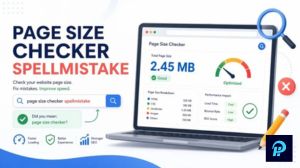
In today’s fast-moving online world, every second counts. Visitors expect websites to load almost instantly, and if yours feels sluggish, they’ll likely bounce away before even reading your content. Slow loading times hurt user experience and damage your visibility on search engines. One often-overlooked factor is your page size the total weight of everything that downloads when someone visits your site.
Page Size Checker by Spellmistake offers a straightforward way to measure and understand exactly how heavy your pages are. Many site owners focus on flashy designs or lots of features without realizing how much those elements slow things down. This guide walks you through using this tool effectively, so you can make smart improvements that actually matter for speed and performance.
Why Page Size Matters More Than Ever
Page size directly influences how quickly your site loads. Larger pages take longer to download, especially on mobile devices or slower connections. In 2026, with more users accessing the web on phones with varying network quality, keeping pages light has become essential.
Google’s Core Web Vitals pay close attention to loading performance. Metrics like Largest Contentful Paint measure how fast the main content appears. Heavy pages often struggle here, leading to poorer rankings. Studies show that even small delays can increase bounce rates significantly.
For example, if your homepage weighs over 3MB, you’re likely losing visitors who get impatient. Many experts recommend aiming for under 2MB, with top-performing sites often staying closer to 1MB or less. This isn’t just about theory it translates into real business results, whether you run a blog, online store, or service site.
Heavy pages also increase hosting costs over time and can frustrate users in regions with limited data plans. By checking and optimizing page size regularly, you create a smoother experience that keeps people engaged longer.
Understanding Page Size Checker by Spellmistake
Page Size Checker by Spellmistake is a free online tool designed to give you a clear picture of your webpage’s total weight. It breaks down the data into easy-to-understand categories, showing exactly what contributes most to the load time.
Unlike broader speed testing platforms, this checker focuses specifically on page weight and resource breakdown. It helps identify heavy images, bulky scripts, large font files, or unnecessary code that bloats your site. The interface feels straightforward, making it accessible even if you’re not a technical expert.
Bloggers, small business owners, and freelancers often find it useful because it delivers quick insights without overwhelming reports. You get a snapshot of total size along with details on HTML, CSS, JavaScript, images, and other elements. This targeted view makes it easier to prioritize fixes.
Getting Started with the Tool
Using Page Size Checker by Spellmistake takes just a few moments. Head to the tool’s website and you’ll see a simple input field waiting for your page URL. Paste the full address of the page you want to test—whether it’s your homepage, a blog post, or a product page.
Click the analyze button, and the tool gets to work. Within seconds, it shows the total page size and a detailed breakdown. The results appear clearly, often with visuals that highlight the biggest contributors. This immediate feedback helps you spot problems fast.
I recommend testing multiple important pages on your site, not just one. Different pages can vary widely in weight depending on their content. For instance, a media-rich article might load much heavier than a simple contact page.
Reading and Interpreting Your Results

Once the analysis completes, take time to review the numbers carefully. The total size gives you the headline figure, but the real value comes from the resource breakdown. You might discover that images alone account for 60-70% of the weight, which is common on many sites.
Look at each category: large JavaScript files could come from unused plugins, while hefty CSS might include styles you no longer need. Fonts sometimes sneak in as hidden size hogs too. The tool helps you see these patterns clearly.
Compare your results against good benchmarks. Pages under 1MB generally perform well, while those between 1-2MB are acceptable for content-heavy sites. Anything consistently above 3MB deserves attention. These guidelines evolve, but they provide a solid starting point for improvements.
Practical Ways to Reduce Page Size
After identifying heavy areas with Page Size Checker by Spellmistake, it’s time to take action. Start with the low-hanging fruit that delivers the biggest gains.
Images often represent the largest chunk of page weight. Compress them without losing noticeable quality, and consider modern formats like WebP. Resize images to match their display size rather than uploading huge files that get scaled down by the browser. Lazy loading helps too, by delaying off-screen images until needed.
Next, look at your code. Minify CSS, JavaScript, and HTML by removing unnecessary spaces, comments, and unused lines. Many content management systems offer plugins or built-in options for this. Remove plugins and scripts you no longer use—they add requests and bytes that add up quickly.
Browser caching instructions tell visitors’ browsers to store certain files locally, so they don’t download everything on repeat visits. A content delivery network (CDN) can also help by serving files from locations closer to your users, cutting down transfer times.
Font optimization matters more than many realize. Stick to system fonts when possible, or limit custom font families. If you must use custom fonts, load only the character sets you actually need.
Measuring Improvement After Changes
Optimization isn’t a one-time task. After making adjustments, run your pages through Page Size Checker by Spellmistake again to see the difference. You should notice a lighter total weight and, hopefully, faster perceived loading.
Pair this with other testing tools to get a fuller picture. Track metrics like time to interactive and overall user behavior through analytics. Real visitor data often reveals issues that lab tests might miss.
Many site owners report 30-50% size reductions after focused work, which can cut loading times dramatically. These changes compound—lighter pages rank better, attract more traffic, and convert at higher rates.
Common Challenges and How to Overcome Them
Some pages resist easy optimization. Complex designs with lots of interactive elements naturally weigh more. In these cases, focus on balancing quality with performance. Prioritize above-the-fold content so visitors see value quickly while the rest loads in the background.
Third-party embeds like videos or social widgets can bloat pages too. Embed them responsively and only when necessary. For video, consider hosting on external platforms and using lightweight preview thumbnails.
Mobile performance deserves special attention. Test on actual devices when possible, as emulators don’t always reflect real conditions. What works on fast desktop connections might feel different on mobile networks.
Building Better Habits for Long-Term Success
Make page size checking part of your regular workflow. Check new content before publishing and audit older pages periodically. As you add features or media over time, weight tends to creep upward without attention.
Train yourself to think about performance from the start when creating content. Choose efficient designs and assets rather than fixing problems later. This mindset shift saves time and leads to consistently faster sites.
Teams working on larger websites benefit from setting size budgets for different page types. This keeps everyone aligned and prevents any single element from derailing overall performance.
Final Thoughts on Faster Websites
Improving your site speed through careful page size management delivers benefits that go beyond technical metrics. Visitors stay longer, engage more, and remember positive experiences. Search engines notice these improvements too, often rewarding faster sites with better positions.
Page Size Checker by Spellmistake gives you an accessible starting point for this journey. It demystifies page weight and turns abstract concepts into concrete numbers you can act on. Whether you manage one blog or multiple client sites, regular use of this tool helps maintain lean, efficient pages.
Take a few minutes today to test your most important URLs. You might be surprised by what you discover and how quickly small changes create noticeable improvements. A lighter website doesn’t just load faster it performs better in every way that matters to your audience and your goals.
(Word count: approximately 1,650)
This article draws on established web performance principles and current best practices as of 2026. Results vary by site, but consistent attention to page size almost always pays off.
Sheila Carrasco Hot: Her Best Red Carpet Moments and Style
FAQs page size checker by spellmistake
Is Page Size Checker by Spellmistake completely free to use? Yes, the tool is free and doesn’t require any signup for basic checks. You can test as many pages as needed without hidden costs, making it accessible for bloggers and small website owners who want quick insights.
How accurate is Page Size Checker by Spellmistake compared to other tools? It provides reliable breakdowns of total page weight and resource types. While it focuses mainly on size rather than full performance scores, combining it with Google PageSpeed Insights gives a well-rounded view of your site’s health.
What page size should I aim for in 2026? Most experts suggest keeping pages under 2MB, ideally closer to 1MB for the best results. This range helps ensure fast loading on both desktop and mobile connections without sacrificing essential content.
Why does my page still feel slow even after reducing its size? Page size is important, but other factors like server response time, render-blocking scripts, and image formats also play a role. After checking size, focus on those additional optimizations for noticeable speed gains.
Can I use Page Size Checker by Spellmistake for multiple pages at once? The tool works best when checking one URL at a time. For larger sites, test your key pages individually — homepage, main blog posts, and high-traffic pages — to get the most useful results.